Never lose touch with alumni, former community members, or leads. Automatically extract phone numbers of members who left or were removed, format them cleanly, and export to CSV, Excel, or VCF (vCard).
Test how the extension extracts past members without leaving this page.
 Past Members Extractor
| # | Name / Note | Phone Number | Status |
|---|
Designed specifically for community managers, marketers, recruiters, and group admins.
Open the "Past Members" drawer on WhatsApp Web and let the extension auto-extract every member who left or was removed over the past 60 days.
Export cleanly formatted data to CSV (for Excel/Google Sheets), VCF (vCard) (to import straight into iPhone or Android contacts), or raw JSON.
Smart sanitization automatically separates country codes, removes non-digit clutter, and structures phone numbers in international E.164 standard format.
Your contacts never touch an external server or cloud database. Zero telemetry, zero tracking, zero analytics. Everything stays strictly inside your browser.
Distinguish between members who voluntarily left versus those removed by administrators. Tailor your re-engagement outreach with accurate context.
Pure DOM reader running on official Chrome Manifest V3. No automated messaging, no bulk sending, and zero risk of WhatsApp account suspension.
Take a detailed look at the user interface before installing.
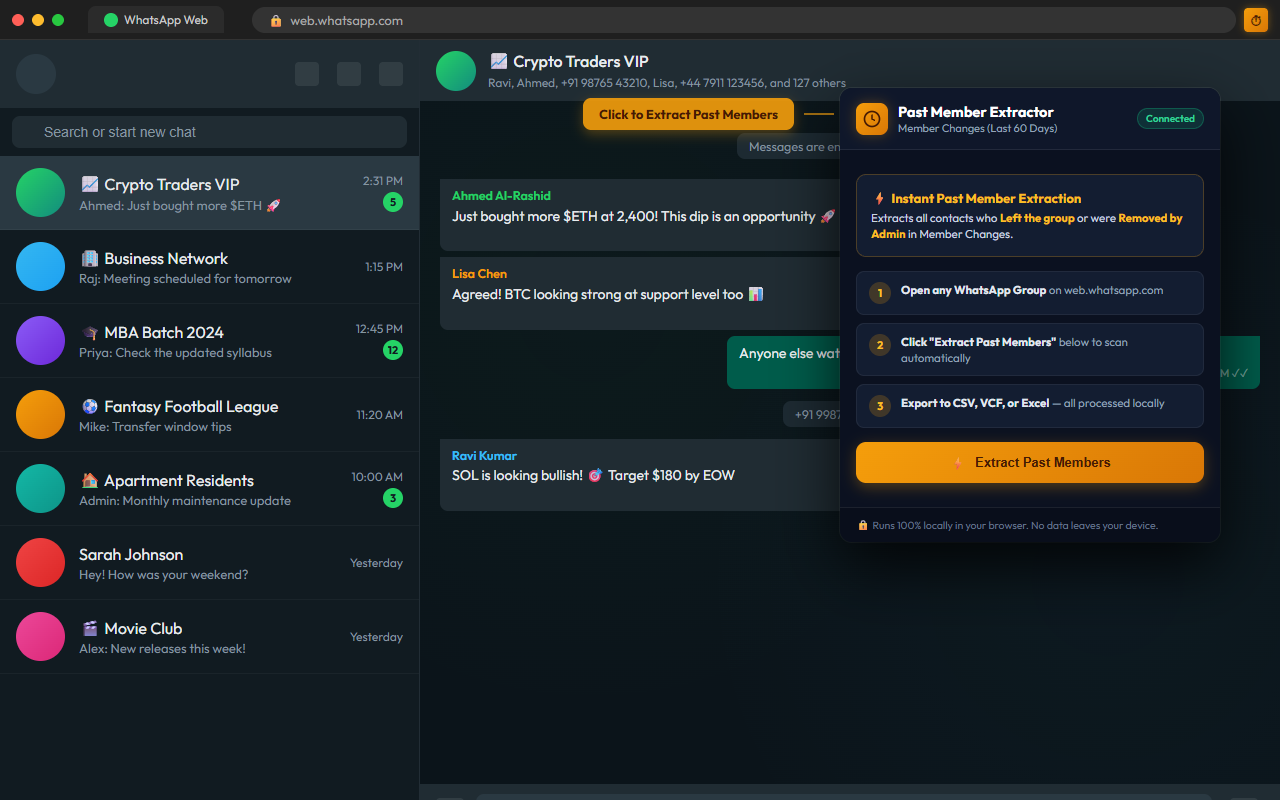
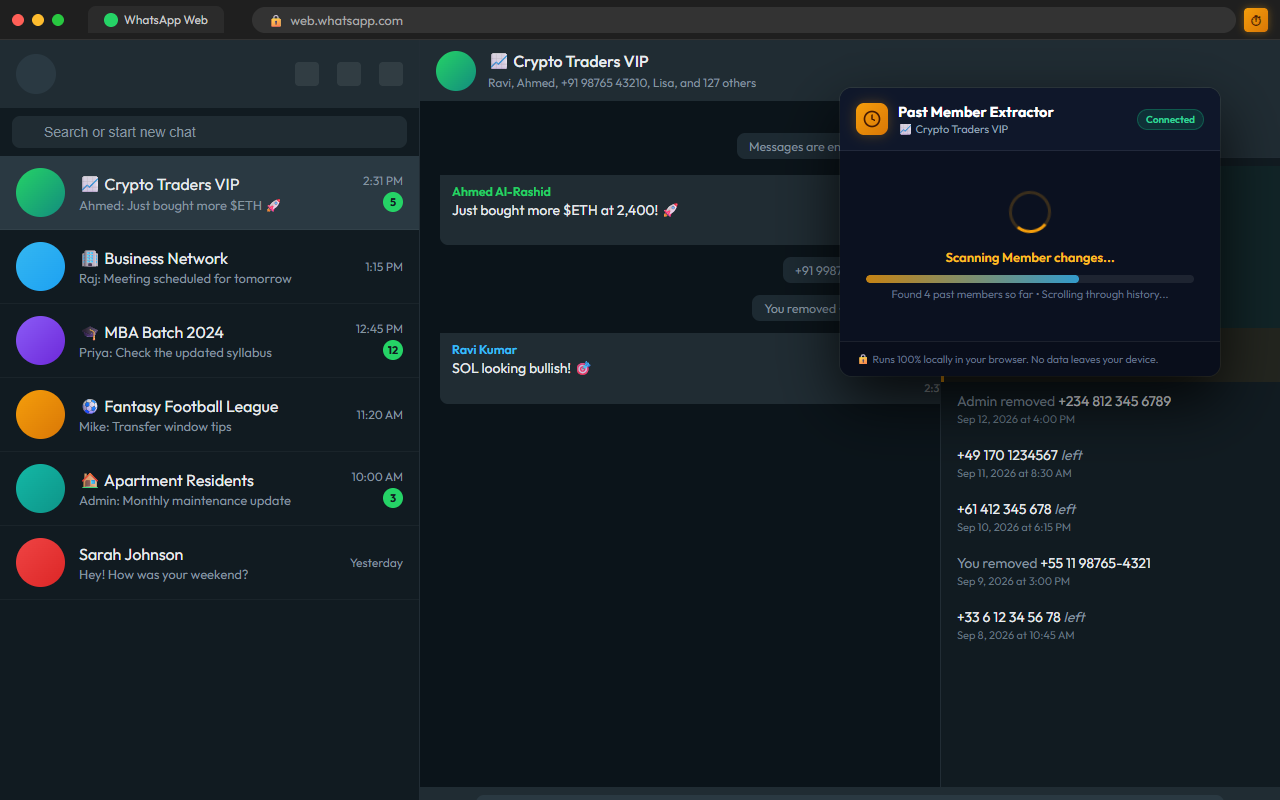
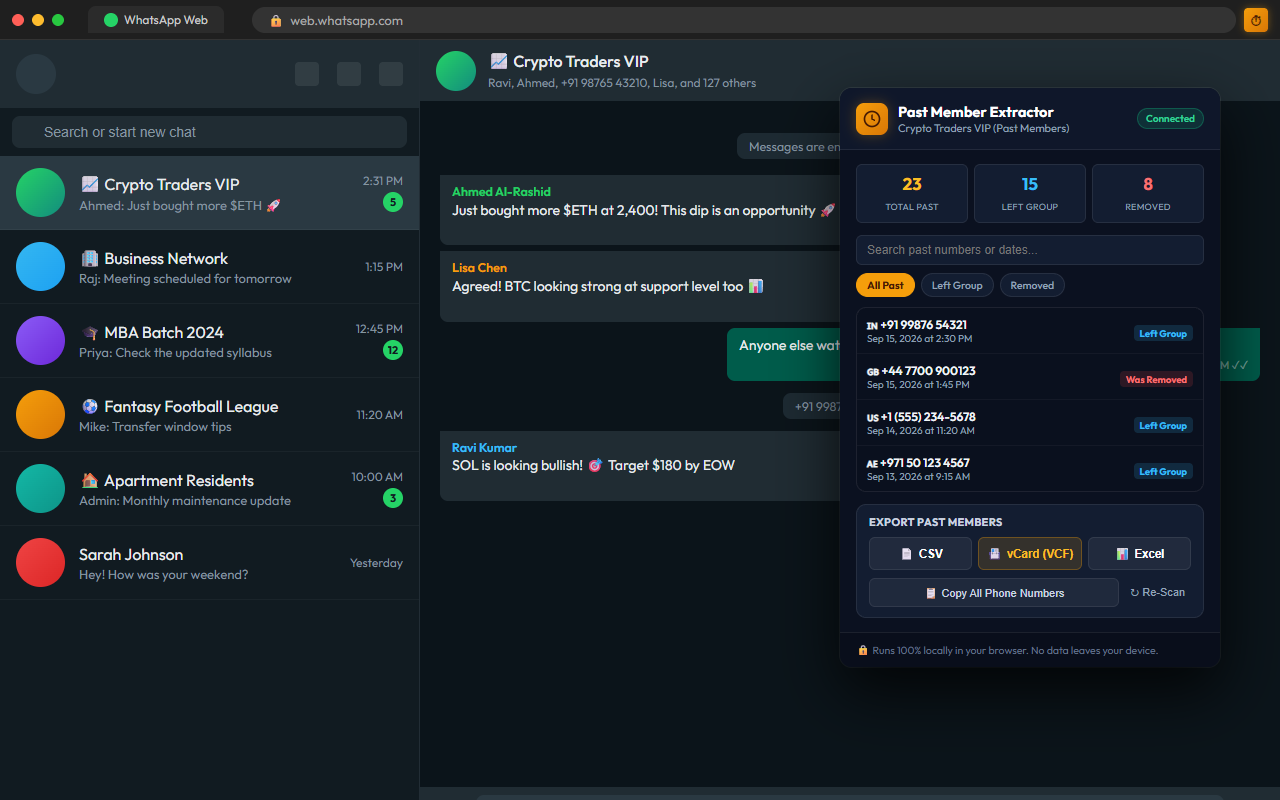
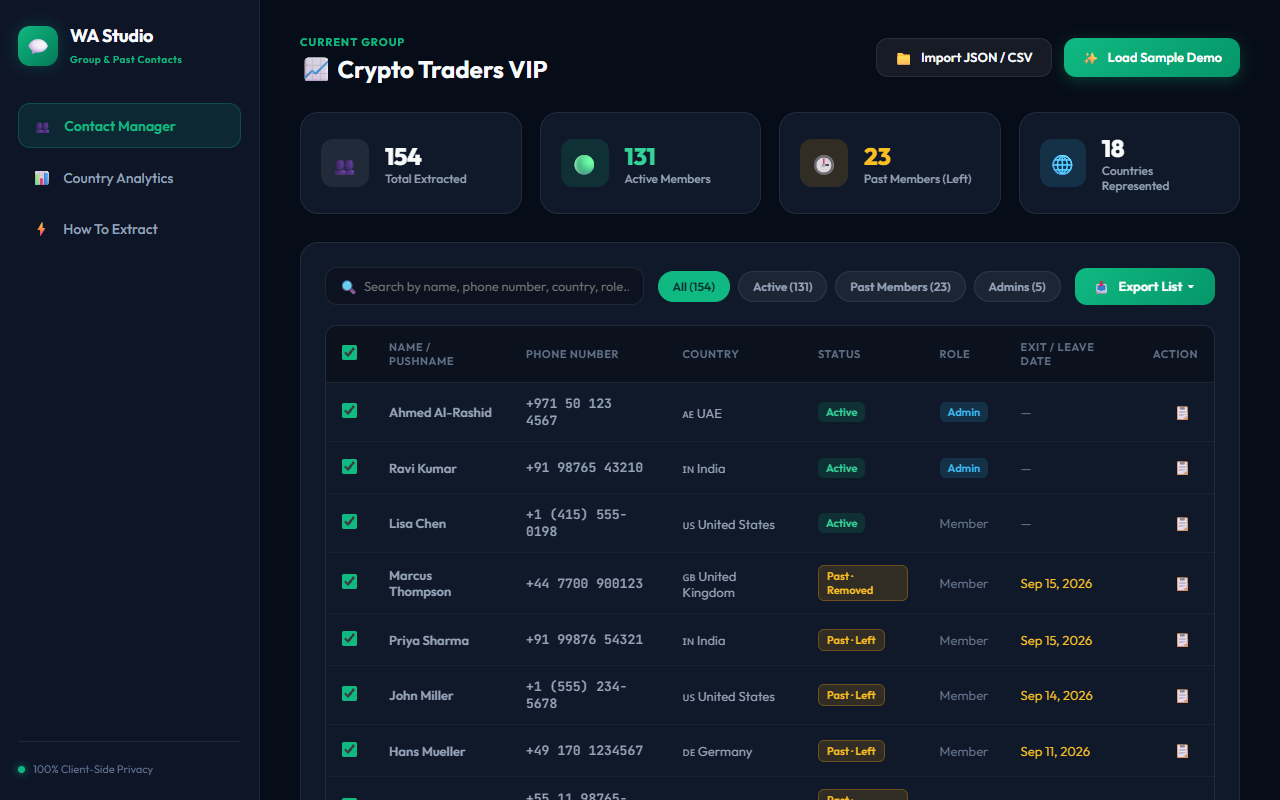
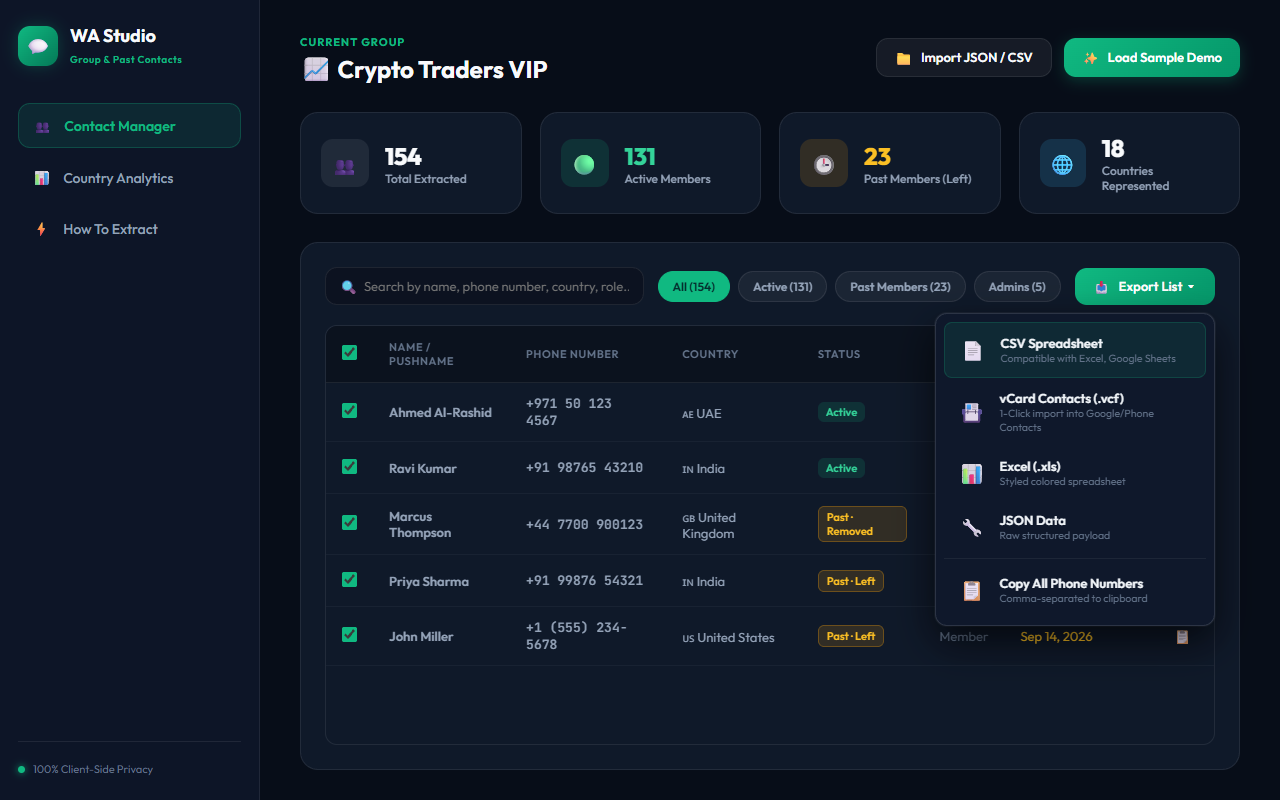
Extract hundreds of past members in under 30 seconds.
Log into web.whatsapp.com in your Chrome browser and open any group you belong to.
Click on the Group Info header, scroll down to the members list, and click on "Past Members".
Click the extension icon in your Chrome toolbar. Hit "Extract" and download your file in CSV or VCF format.
Everything you need to know about safety, compatibility, and usage.
Yes, it is 100% safe. The extension does not send automated messages, does not use unofficial reverse-engineered APIs, and does not perform spam activities. It simply reads the data already visible to you on your WhatsApp Web screen (just like manually copying numbers) and formats it into a spreadsheet.
Absolutely not. The extension runs 100% locally on your computer. There is zero telemetry, zero analytics tracking, and no external API calls. All processing and file exports happen directly in your browser's local memory.
WhatsApp Web natively keeps records of past members who left or were removed in the last 60 days. Our extension extracts all records available within that 60-day window provided by WhatsApp.
When you export as VCF (vCard), you can simply email the file to yourself or upload it to Google Contacts (contacts.google.com) or iCloud (icloud.com/contacts). All contacts will immediately sync to your iPhone or Android device!
We actively monitor WhatsApp Web changes. When WhatsApp modifies their DOM class names, we roll out quick updates to the extension. You can also report any selector issues via our Support Page.
Install the extension for Chrome, open WhatsApp Web, and export your past members in less than a minute.
